 Reelity Check
: a live reel counter for Android
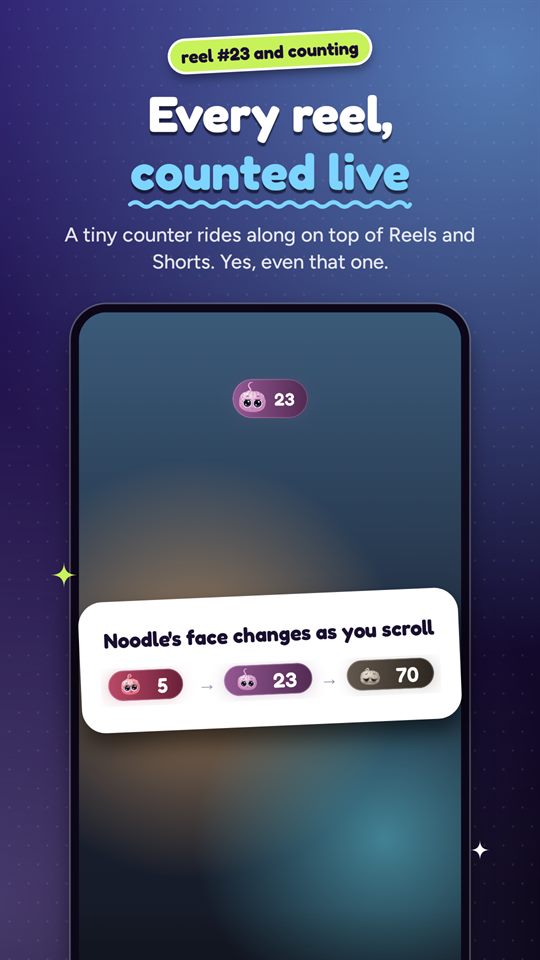
Count every Instagram Reel, YouTube Short and Snapchat Spotlight video you swipe, see the number on top of the scroll, and pause reels at a daily limit you set. Noodle, a gummy little brain, reacts as the count goes up.
Free to download. Noodle+ is an optional subscription; Google Play shows the price in your currency.
What it does
- Counts reels, not just minutes: a small bubble shows your live count in Instagram Reels, YouTube Shorts and Snapchat Spotlight, with beta support for TikTok, Facebook, Moj, Josh, DramaBox and more.
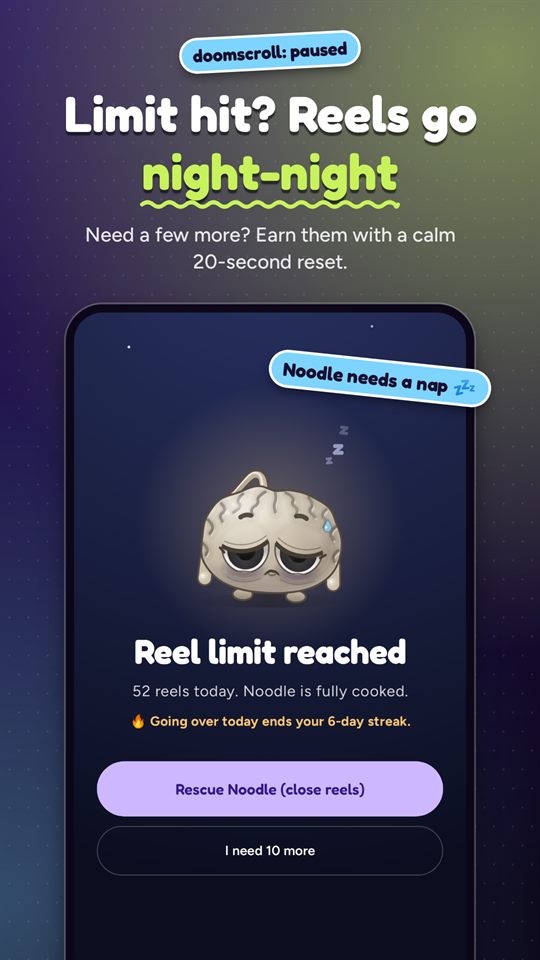
- A daily reel limit: a gentle nudge, or a pause on Reels and Shorts when you reach it. Need a few more? Earn them with a calm 20-second reset.
- Stats that show the pattern: daily, weekly and monthly counts, which apps ate your time, and your "doom hour".
- Doomscrolling Wrapped every Sunday: your week in reels, as story-style slides.
- Noodle+ (optional): Strict mode, a hard stop with no unlocking until it ends, plus Squad leaderboards with friends and Noodle's style.
Private by design
Reelity Check uses Android's Accessibility Service only in the short-video apps it supports, to notice which screen is open and when you swipe to the next video. It never reads your messages, comments, passwords or what's in the videos. Your counts stay on your phone unless you join a Squad, and the app has no advertising or analytics SDKs. The privacy policy has the details.
Guides
- How to stop doomscrolling Instagram Reels on AndroidInstagram's own daily limit, Android app timers, Focus mode, and a counter that pauses Reels at your limit.
- How to limit or block YouTube Shorts on AndroidYouTube's Shorts feed limit, Android app timers, and pausing only Shorts while long videos keep playing.
- How many reels do I watch a day? How to find outWhat your phone already measures, what it leaves out, and how to count every reel.
- What to look for in a reel blocker for AndroidSix questions to ask before you give a reel blocker the Accessibility permission.