 Reelity Check
How to stop doomscrolling Instagram Reels on Android
Updated 20 November 2026
Reels never run out, so the stopping point has to come from you. Here is what Instagram and Android already give you, and where a reel counter fits in.
1. Find out how much you watch
It's hard to cut what you can't see. Android's Digital Wellbeing shows how many minutes you spend in each app (Settings → Digital Wellbeing), and Instagram shows your own time on Instagram under Time management. Neither tells you how many reels that was: here's how to find out.
2. Set Instagram's daily limit
- Go to your profile and tap the menu in the top right.
- Under How you use Instagram, tap Time management.
- Tap Daily limit, choose an amount of time and go back.
This is a reminder: Instagram tells you when you reach the time, and you can carry on. Teen Accounts start with a one-hour daily limit. (Source: Instagram Help Centre.)
3. Put an Android app timer on Instagram
- Open Settings, then Digital Wellbeing, then App timers.
- Next to Instagram, tap Set timer.
- Choose your daily time and tap OK.
When the time runs out, Instagram closes and its icon dims until the timer resets at midnight. (Source: Android Help.) Menu names vary between phone makers; on Samsung phones look for Digital Wellbeing and parental controls. The catch: a timer locks all of Instagram, messages included.
4. Keep Reels out of your evenings with Focus mode
In Digital Wellbeing, Focus mode pauses the apps you pick. While it's on you can't open them and their notifications stay quiet. Turn it on now, or set a schedule, for example every night before bed. (Source: Android Help.)
5. Add a little friction
- Move Instagram off your home screen, into a folder on the last page.
- Turn off the notifications you don't need, so you open the app when you choose to.
- Decide your number before you open Reels, not halfway through.
Where Reelity Check fits
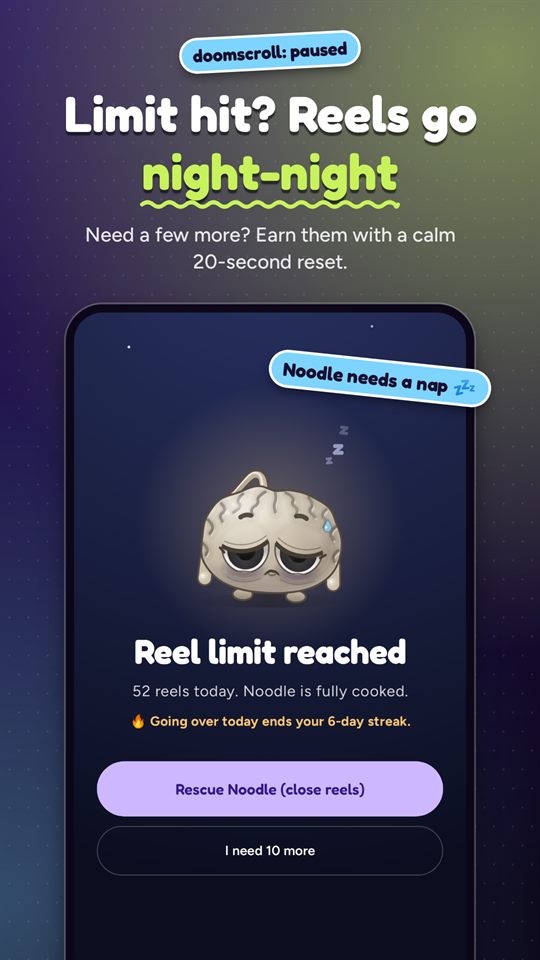
Reelity Check counts every reel you watch, live, with a small bubble on top of the feed, so you see the number while you scroll instead of afterwards. Set a daily reel limit and, when you reach it, the Reels screen takes a nap. It steps in on Reels, not the whole app, so your messages aren't locked. Need a few more? A calm 20-second task unlocks a few.
For nights and study sessions, Strict mode (part of the optional Noodle+ subscription) locks reels with no unlocking until it ends.
Get Reelity Check on Google Play
We make Reelity Check, so weigh our view accordingly. The built-in tools above are free and already on your phone: try them too.
More guides
- How to limit or block YouTube Shorts on AndroidYouTube's Shorts feed limit, Android app timers, and pausing only Shorts while long videos keep playing.
- How many reels do I watch a day? How to find outWhat your phone already measures, what it leaves out, and how to count every reel.
- What to look for in a reel blocker for AndroidSix questions to ask before you give a reel blocker the Accessibility permission.